Excluding Smart-Oila from scanning in Avast Antivirus
Add an Exception
Before downloading Smart-Oila application you need to add 2 folders to the list of exclusions.
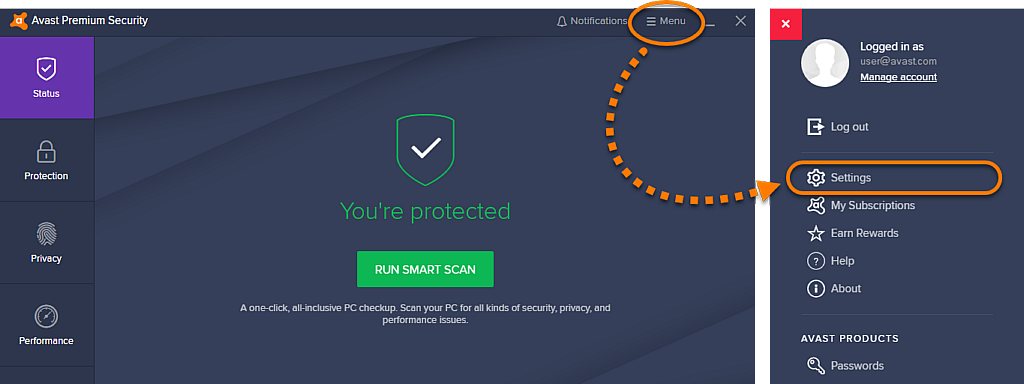
- Open the Avast Antivirus user interface and select
☰Menu ▸ Settings.
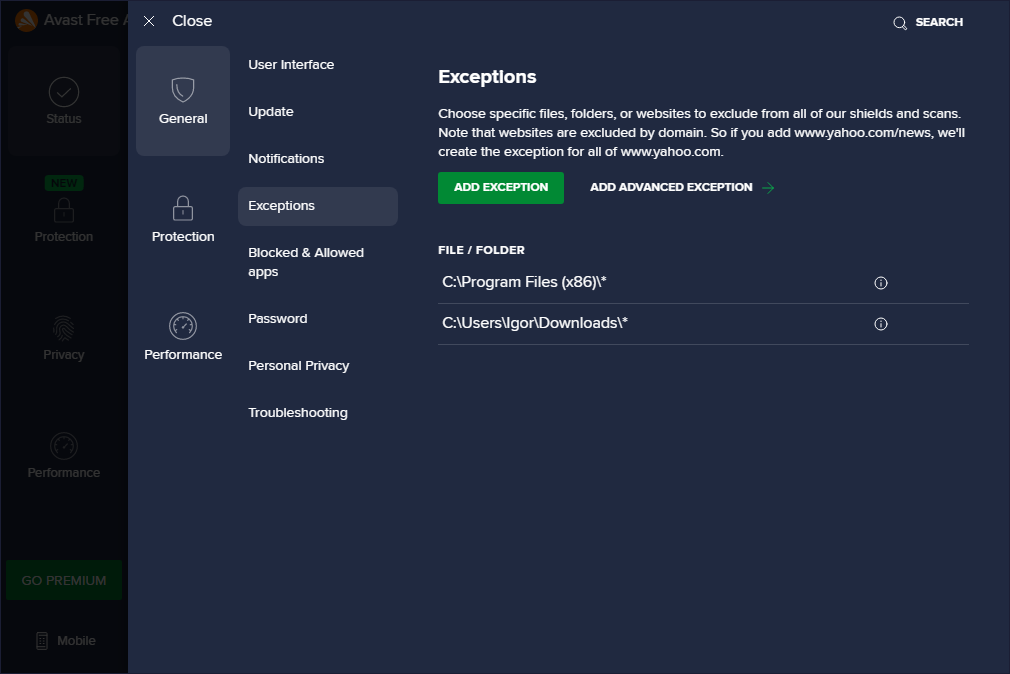
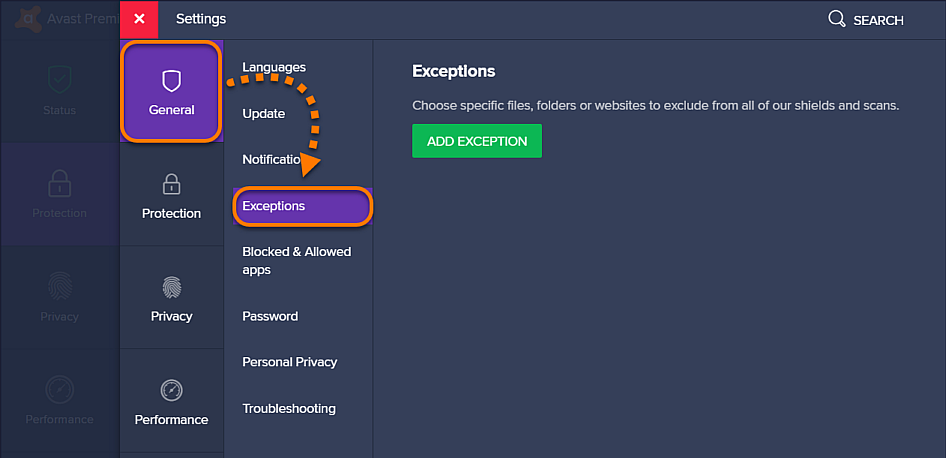
- Ensure the General tab is selected, then click Exceptions.
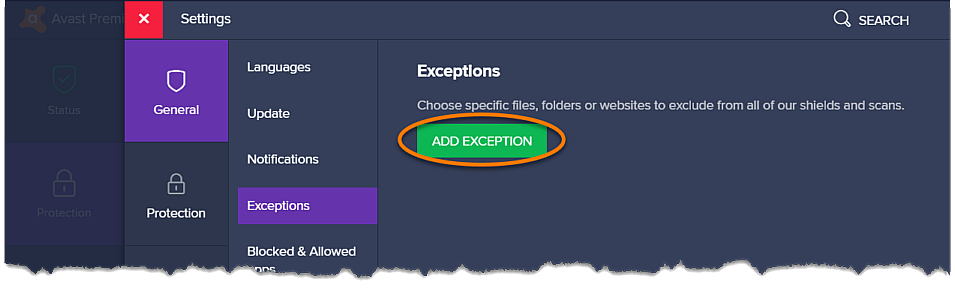
- Click the Add Exception button.
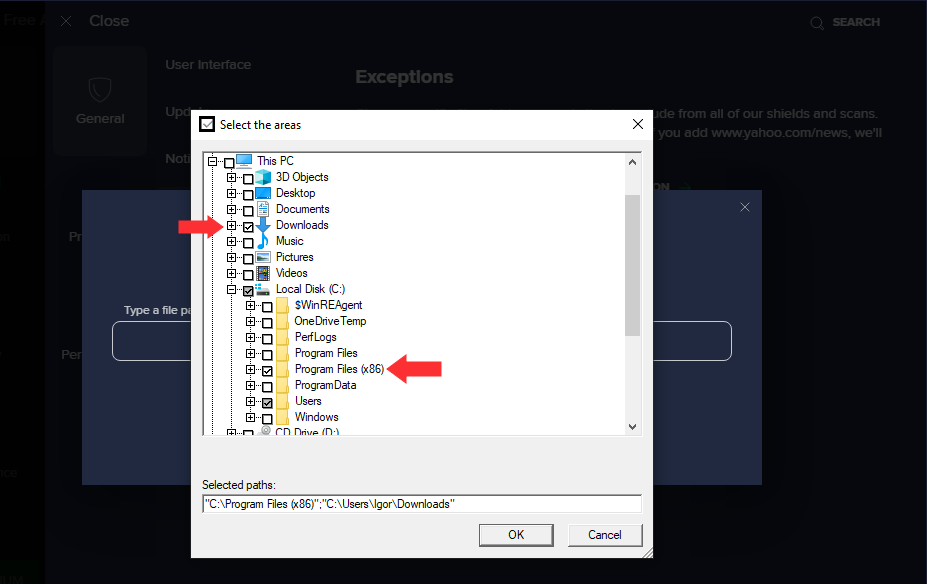
- Click Browse,
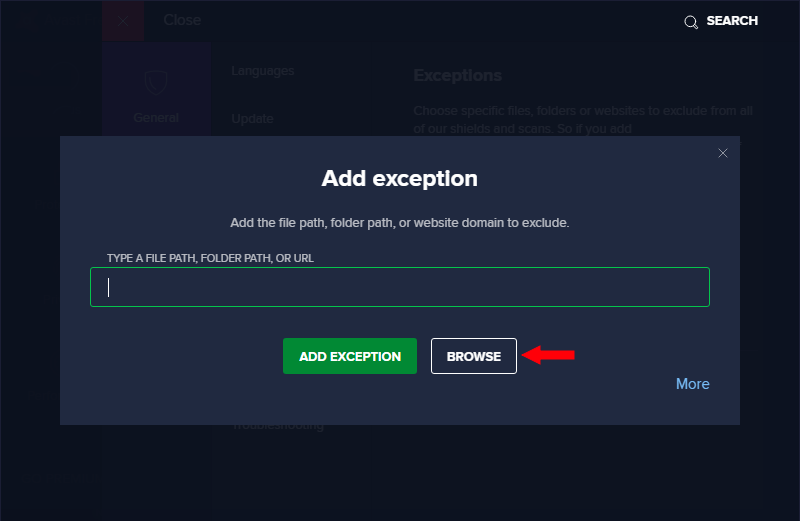
- Tick the box next to the Program files (x86) and Downloads folders OK.